If you’re shopping for an ergonomic chair for sciatica, the goal is not a chair that magically fixes nerve pain. The real aim is more practical: reduce pressure on the hips and lower back, support a neutral sitting position, and make it easier to change posture without aggravating symptoms. ergonomic drafting chair offers more detail on this point. Ergonomic Chairs for Lower Back Pain offers more detail on this point.
That means the best chair is usually the one that fits your body, your desk height, and the amount of time you spend sitting. For many people, a chair with adjustable seat height, seat depth, lumbar support, and armrests is more useful than a heavily padded chair with limited adjustments. The details matter because sciatica can be sensitive to pressure, posture, and long periods of static sitting.
When an ergonomic chair matters most
An ergonomic chair matters most when sitting is unavoidable and symptoms tend to flare during long work sessions, meetings, or computer use. If your pain increases after staying in one position too long, the chair should help you move more naturally rather than lock you into a single posture.
It also matters when your current chair forces awkward positioning. Common warning signs include a seat that is too deep, armrests that hit too high or too low, a backrest that offers little support, or a seat edge that presses into the backs of your thighs. Those issues can increase discomfort even if the chair looks “supportive” at first glance.
For some people, a chair is only part of the solution. If standing, walking, stretching, or changing positions gives relief, then the chair should be evaluated as one tool in a broader comfort setup, not the entire answer.
What to look for first
Start with the features that affect pressure and posture most directly. Decorative extras matter far less than fit and adjustability.
Seat depth and seat pan shape
Seat depth is one of the most overlooked factors for sciatica-friendly seating. If the seat is too deep, you may slide forward and lose back support, or the front edge may press into your legs. If it is too shallow, you may feel unstable and unable to settle into the backrest.
A seat with adjustable depth is often a strong choice because it lets you match the seat to your leg length. A gently rounded front edge can also help reduce pressure behind the thighs. This is especially useful for people who notice leg discomfort after sitting for a while.
Lumbar support that can be positioned
Lumbar support is helpful, but only if it meets your body in the right place. Fixed lumbar bumps can feel helpful to one person and intrusive to another. Adjustable lumbar support is usually more flexible because it allows fine-tuning for different torso lengths and sitting angles.
For sciatica, the point is not aggressive arching. You generally want support that encourages a natural curve without pushing the lower back forward so much that it feels forced. If a chair feels like it is “correcting” your posture too aggressively, it may end up creating more tension than relief.
Seat height and desk compatibility
Even a well-made chair can be uncomfortable if the height does not work with your desk. Your feet should rest comfortably on the floor or on a footrest, with your knees positioned so that you are not pinched or dangling. If the chair is too high, pressure can build behind the thighs; too low, and the hips may feel compressed.
Desk height matters too. A chair can only do so much if your keyboard, mouse, and monitor force you to hunch forward. For many people, the best ergonomic result comes from matching the chair to the desk setup, not choosing the chair in isolation.
Armrests that actually help
Armrests are useful when they support the forearms without shrugging the shoulders upward. Adjustable armrests can ease strain and make it easier to sit upright without effort. They may also help when shifting position, which is valuable if staying still tends to worsen symptoms.
That said, fixed armrests are not always beneficial. If they are too wide, too high, or in the way of your desk, they can push you into a twisted posture. In some setups, removable or low-profile armrests are more practical than bulky ones.
Comfort features that can be helpful, and where they fall short
Many shoppers assume that more cushioning automatically means more comfort. With sciatica, that is not always true. A soft seat can feel pleasant at first, but if it lets you sink too deeply, it may increase pressure and reduce stability.
Mesh chairs can feel cooler and less sticky during long work sessions, while cushioned seats may feel softer and more familiar. The right choice depends on how your body responds. Some people prefer the breathable feel of mesh with structured support; others prefer a padded seat with firm enough support to avoid bottoming out.
Reclining can also be useful, but only if it is easy to use and stable. A slight recline may reduce pressure on the lower back for some users. However, a chair that reclines too freely can become hard to control, especially if you need to stay focused on computer work.
A common misconception is that the most expensive chair is automatically the best ergonomic chair for sciatica. In practice, the best chair is the one that fits your posture, lets you adjust pressure points, and works for your daily routine. High price does not guarantee the right geometry.
Step-by-step criteria for choosing one
If you are comparing chairs for sciatica, use a simple decision path instead of judging by appearance alone.
- Check the seat depth first. Sit back fully and make sure the backrest still supports you without the front of the seat pressing into your legs.
- Test the lumbar support position. It should feel supportive, not aggressive. You should be able to sit upright without bracing against it.
- Verify chair height against your desk. Your shoulders should stay relaxed while your elbows rest comfortably for typing or mouse use.
- Evaluate seat firmness. A seat that is too soft may feel inviting but can create more pressure over time.
- Look at armrest placement. They should support relaxed shoulders and fit under or beside your desk without conflict.
- Consider movement options. A chair that supports small posture changes can be more comfortable than one that keeps you fixed in place.
This sequence helps because it starts with fit and pressure relief before moving on to comfort extras. That order matters. Many buyers focus on materials or style first, then discover the chair does not suit their body proportions.
Examples of chair types and who they suit
Different chair styles can work for sciatica, but they solve slightly different problems.
Task chairs
Task chairs are often the most practical for home offices. They tend to offer the core features that matter most: adjustable height, basic lumbar support, and a compact shape that fits smaller spaces. They are a strong choice if you need a straightforward chair for everyday computer work.
Executive-style chairs
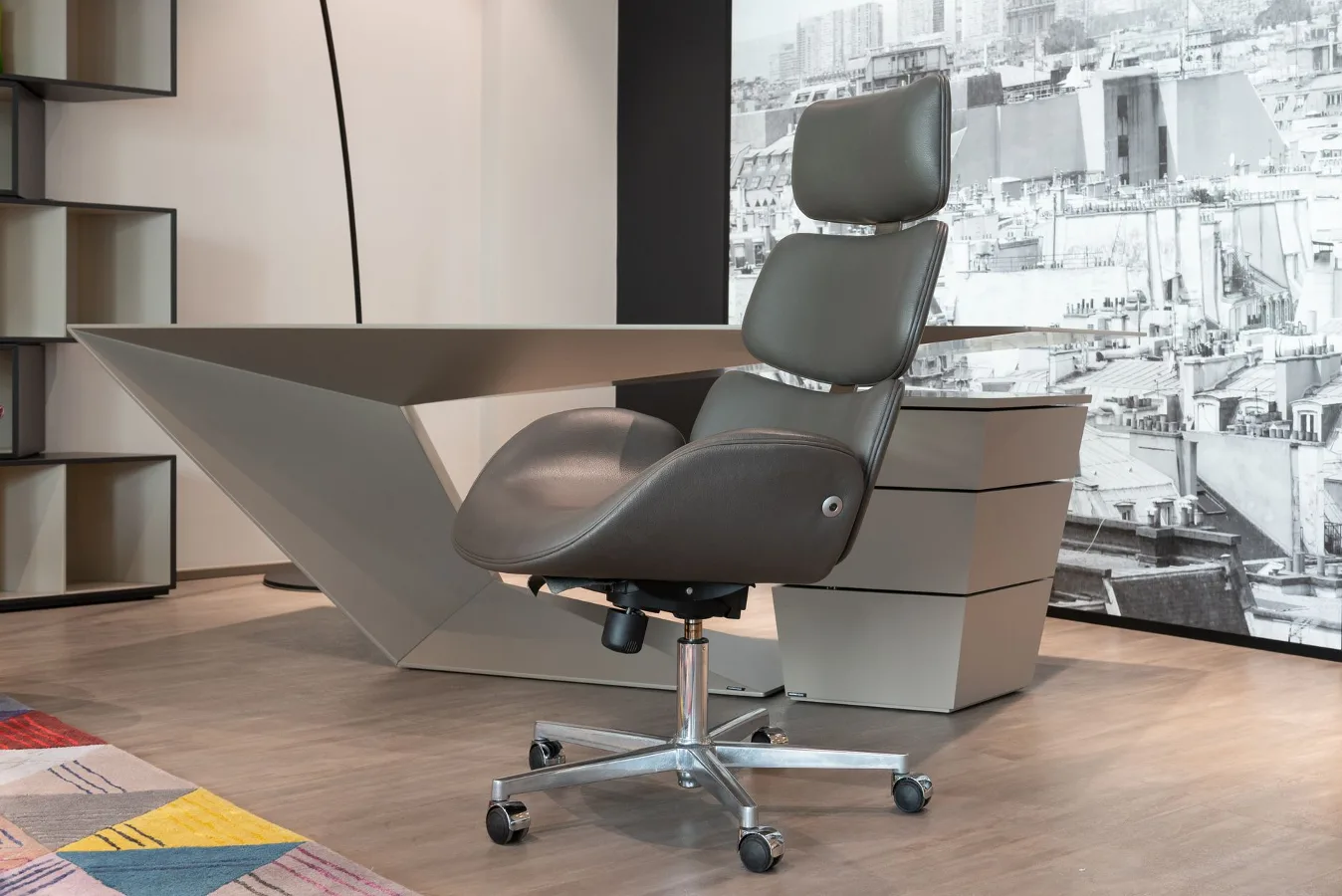
These often emphasize padding and a high back. They can feel comfortable for short periods, but they are not automatically better for sciatica. If the chair is too soft or has limited adjustability, it may support relaxation more than proper sitting.
Mesh ergonomic chairs
Mesh chairs can be a good option for those who prefer a cooler seat and a more structured feel. They often work well in warm rooms or for people who dislike thick upholstery. The key question is whether the mesh has enough tension to support you without sagging.
Kneeling chairs and active seating
These can change the way weight is distributed, which some people find helpful for short periods. Still, they are not ideal for everyone and usually work better as occasional alternatives rather than all-day solutions. If you already have nerve sensitivity, a radical posture change may be uncomfortable rather than relieving.
Trade-offs you should expect
No chair solves every comfort problem at once. More lumbar support can improve posture but feel intrusive. Softer cushioning can feel pleasant but reduce stability. A deeply padded seat may be cozy for a short time but become uncomfortable during longer sessions.
There is also a trade-off between support and movement. A chair that keeps you very upright may help certain users, but some people feel better with the ability to recline slightly or shift weight often. If you sit for long periods, the best chair usually supports movement instead of freezing your posture.
Another realistic constraint is that sciatica symptoms are often affected by factors outside the chair, including desk height, screen position, and how long you remain seated. A chair can reduce aggravation, but it cannot compensate for every poor setup choice.
Common mistakes buyers make
- Choosing by padding alone. Softness is not the same as support.
- Ignoring seat depth. This is one of the fastest ways to end up with thigh pressure or poor back support.
- Buying a chair without considering desk height. A good chair can still feel wrong if your workspace is mismatched.
- Assuming all lumbar support is beneficial. The placement and intensity matter.
- Overlooking armrests. Poor armrest positioning can create shoulder tension that affects the rest of the posture chain.
- Staying seated too long. Even a well-designed chair has limits if you never change position.
A practical checklist before you buy
Use this checklist as a final filter before making a decision.
- Does the chair let you adjust height easily?
- Can you set the seat depth to match your legs?
- Does the lumbar support feel natural rather than forceful?
- Are the armrests positioned where your shoulders can relax?
- Does the seat edge avoid pressure behind the thighs?
- Will the chair fit your desk and keyboard setup?
- Can you shift position without fighting the chair?
- Does the chair make sense for how many hours you sit each day?
If you answer “no” to several of these, the chair may look ergonomic but still be a poor match for sciatica-related comfort.
Alternatives worth considering
If a standard office chair is not enough, a few alternatives may help as part of a broader comfort strategy.
Seat cushions can improve pressure distribution, especially if your current chair is structurally sound but slightly too firm or has a poor seat edge. They are not a cure-all, though, and a cushion that is too thick can alter posture in unhelpful ways.
Footrests are useful when chair height and desk height do not line up cleanly. They can reduce leg pressure and help keep you steady in the seat.
Standing desks or sit-stand setups can reduce total sitting time. For some people, alternating between sitting and standing is more comfortable than trying to find a single perfect chair.
Task rotation also matters. If your work allows it, changing between sitting, standing, and walking can do more for comfort than any one chair feature.
What a good choice looks like in real life
The best ergonomic chair for sciatica is rarely the one with the most aggressive claims. It is usually the chair that fits your body, lets you adjust pressure points, and works with your desk instead of fighting it. In a home office, that often means prioritizing seat depth, lumbar placement, and height adjustment before extras like headrests or decorative stitching. ticova ergonomic office chair offers more detail on this point.
If you are comparing options, look for the chair that gives you control. Control over height. Control over back support. Control over armrest position. Control over how much you recline. That flexibility is often what separates a chair that merely looks ergonomic from one that is genuinely comfortable for sensitive sitting.
If you still feel uncertain, narrow the field by starting with your most obvious pain trigger. If pressure behind the thigh is the issue, focus on seat edge and depth. If lower-back fatigue is the issue, focus on lumbar support and recline. If your setup feels cramped, focus on dimensions and armrest clearance. A better decision usually comes from solving the most obvious mismatch first.